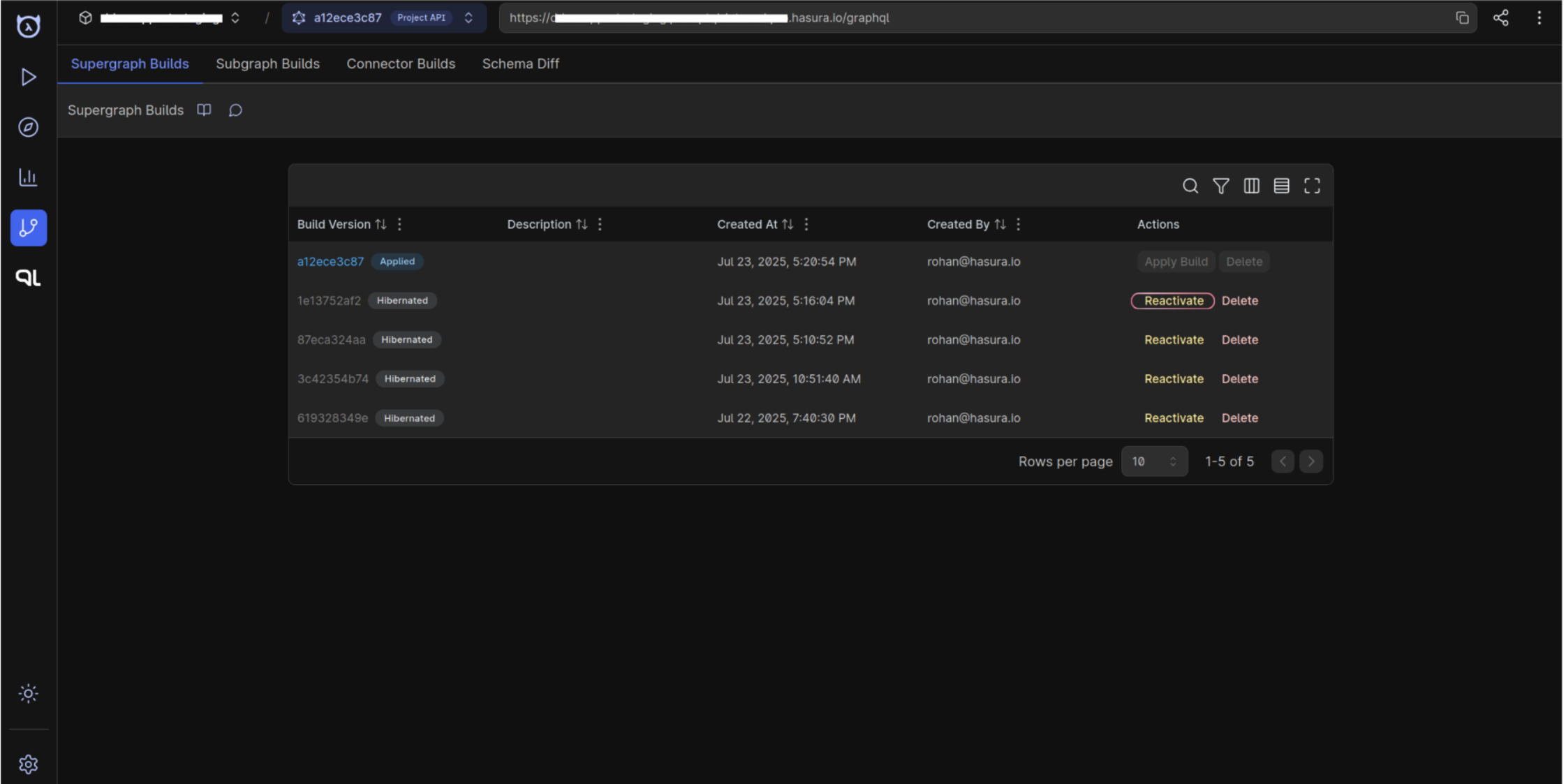
Supergraph Build Hibernation
Overview
Supergraph builds that remain unapplied and idle are automatically hibernated to conserve resources. Specifically:
- Any unapplied build that is older than two days and has not received a request in the last two days is hibernated.
- Hibernation pauses execution but preserves metadata and other build inputs so you can reactivate the build if needed.
Once hibernated, a build must be explicitly reactivated before it can start serving traffic again. Until then, all requests will fail with 409 status code.
Reactivation
You can bring a hibernated build back online through either the DDN CLI or the console.
Reactivate via CLI
Run the ddn supergraph build reactivate command to reactivate the hibernated assets. Reference the full command options in the CLI docs:
Reactivate via console
- Open your project on the Hasura console and navigate to the Builds page.
- Locate the hibernated build and select Reactivate. Confirm the action to immediately queue a rebuild and resume the associated API endpoint.