Receipts
Available on: Cloud Professional
Introduction
Receipts, against successful payment of invoices for each billing cycle, are mailed to the email associated with your Hasura Cloud account.
If you wish to receive receipts on another email, in addition to your account's default email, please configure a billing email.
Configure billing email
Go to the billing section and click on Invoice Settings.
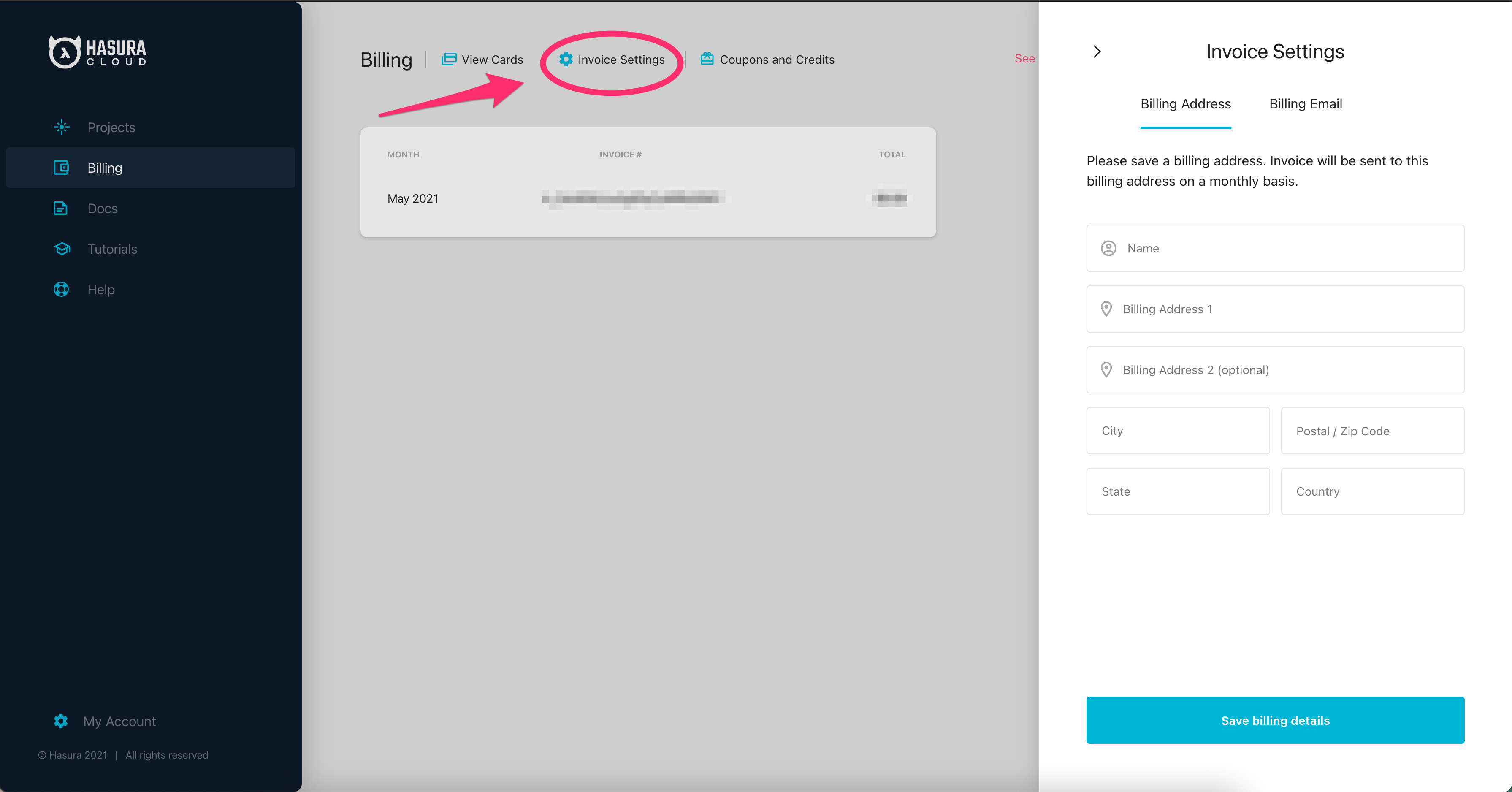
Click on Billing Email and enter the email you want to receive receipts on.
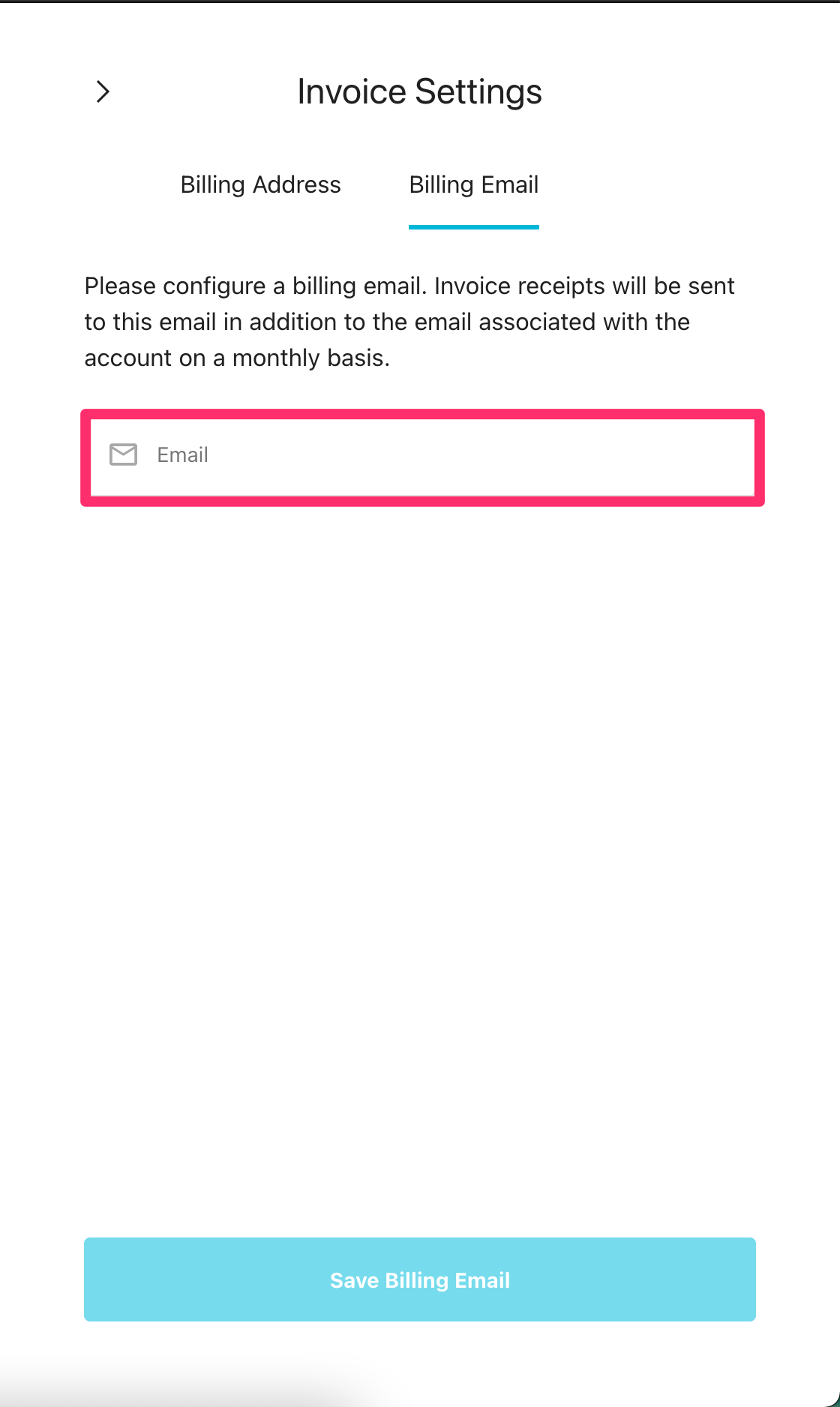
Click Save.
For all payments made, receipt will also be mailed to the billing email in addition to your account's default email.
Delete billing email
Go to the billing section and click on Invoice Settings.
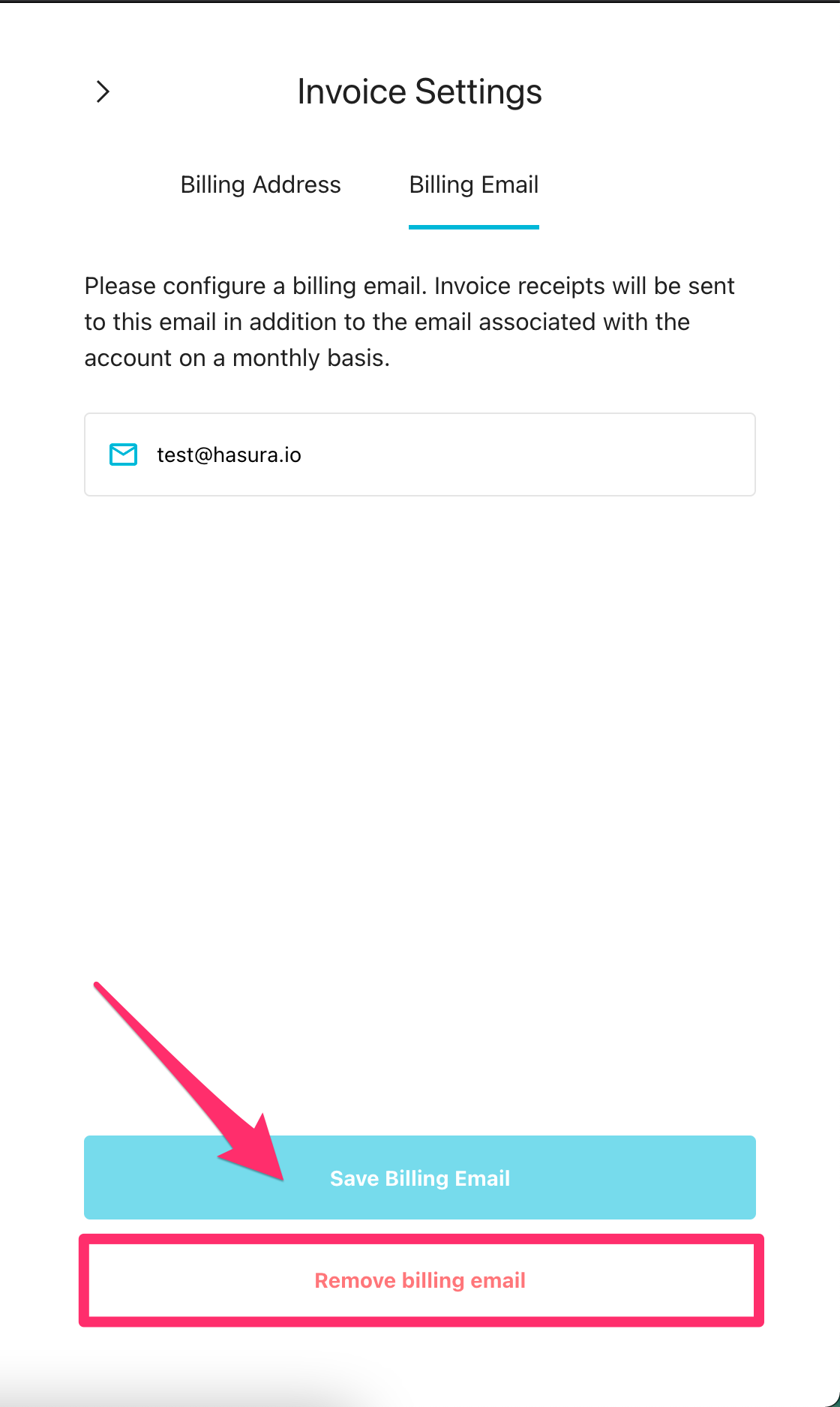
Click on Billing Email and click Remove billing email.